How to Take Profit on eToro Without Closing Position?
- Automatically close trade at a specified price
- Set TP as a specific price or as a percentage
- Adjustable TP level for open positions
- Secure partial profits
52% of retail CFD accounts lose money.

You can take profits on eToro without fully closing your position by using the platform's partial close feature.
Here's how to do it:
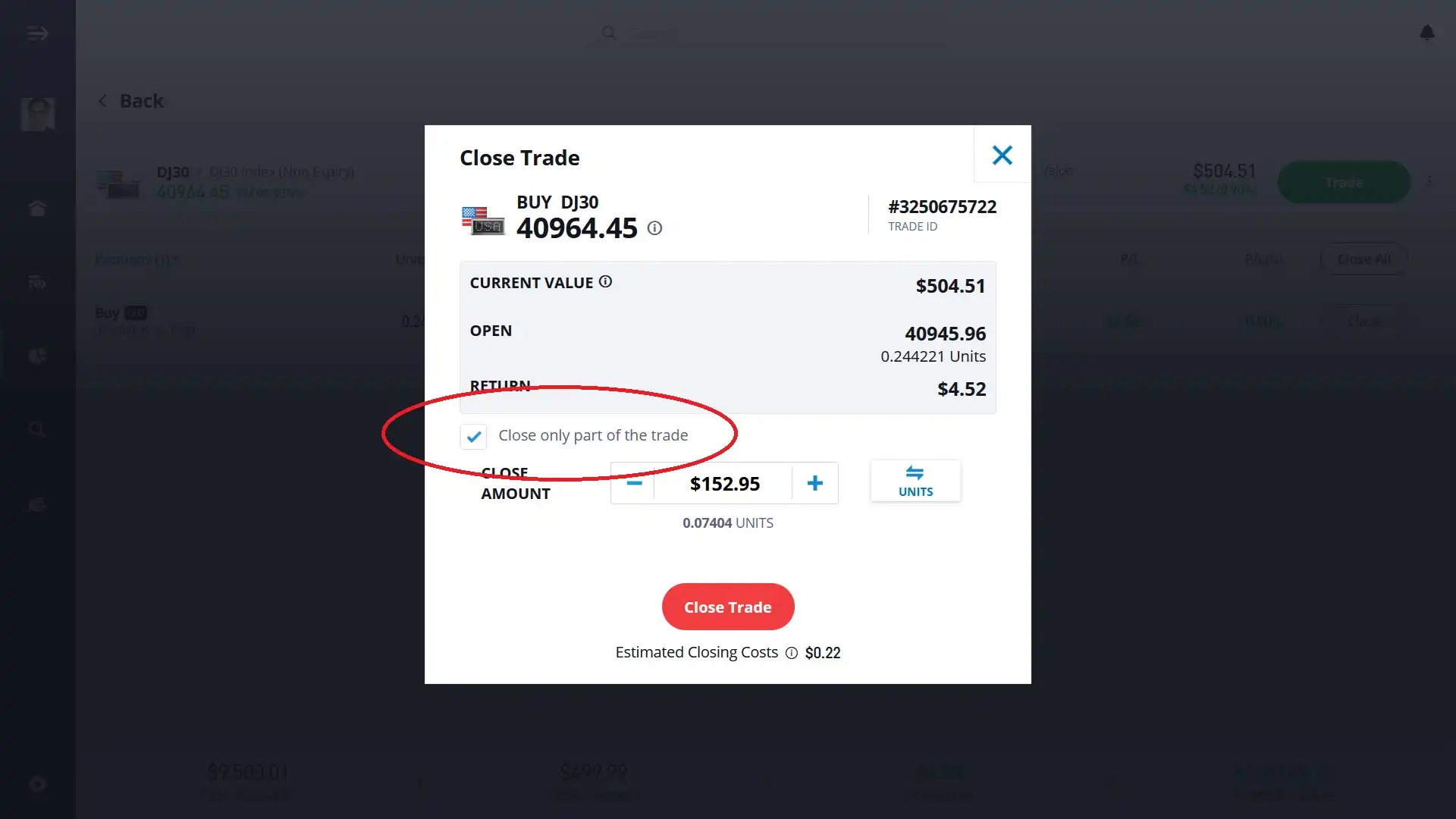
This feature has helped me lock in profits while keeping a position open when I thought there was still room for more. Based on experience, here are a few quick tips to keep in mind:
Take Profit Orders: The TP feature automatically closes a trade at a specified price level to secure profits. However, TP orders apply to the entire position and cannot be set for just a portion of it.
Manual Monitoring: Since partial TP orders aren't available, you'll need to monitor your positions and manually execute partial closes when your profit targets are met.
Market Conditions: Be aware that in volatile markets, the execution price may differ from the expected price due to rapid price movements.
 About Nadav Zelver
















