52% of retail investor accounts lose money when trading CFDs with this provider. You should consider whether you can afford to take the high risk of losing your money.
My Personal Encounter with Leverage: The Basics
When I first ventured into trading, eToro immediately stood out, thanks to its intuitive interface and fascinating leverage options. From my own experiences with this dual-natured tool, I've witnessed firsthand its potential — both the rewards and pitfalls.
Leverage, in essence, felt like wielding magic, commanding a sizable position with just a fraction of capital. However, as with all powerful tools, it comes paired with increased risks. Every soaring profit was balanced by tense moments when the market swung against my favor. If you're keen to learn how to apply the eToro leverage, I've crafted a straightforward guide, complete with additional insights that you might find beneficial.
Leverage: Applicable For New Trades Only!
When I first attempted to apply leverage, I learned that it can only be set during the initiation of a trade, not on existing open positions. Leverage settings cannot be adjusted for already open positions; you can only set and determine the amount of leverage when beginning a new trade.
Where to Set the Leverage?
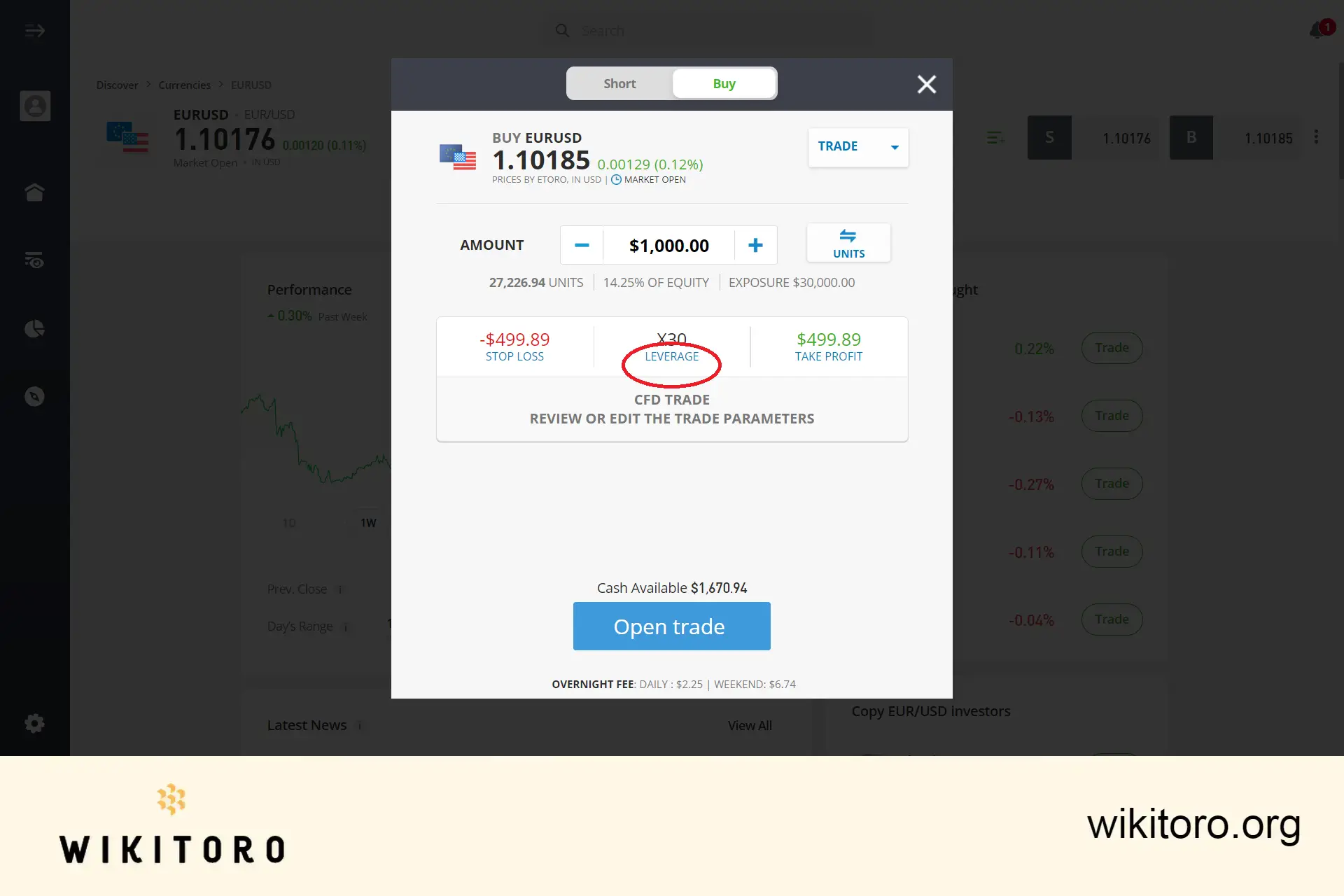
When initiating a trade, first choose the investment asset you wish to trade within the eToro app or platform. Upon clicking the 'Trade' button, a popup will display various trade options. At the top of this popup, select either 'Sell (short)' or 'Buy (long)' for your transaction. Within this window, you'll find the 'Leverage' link to configure your desired leverage.
Step to Apply Leverage on eToro
Follow these steps to use leverage when initiating a trade on the eToro platform:
Click on 'Leverage'. Clicking Leverage on eToro
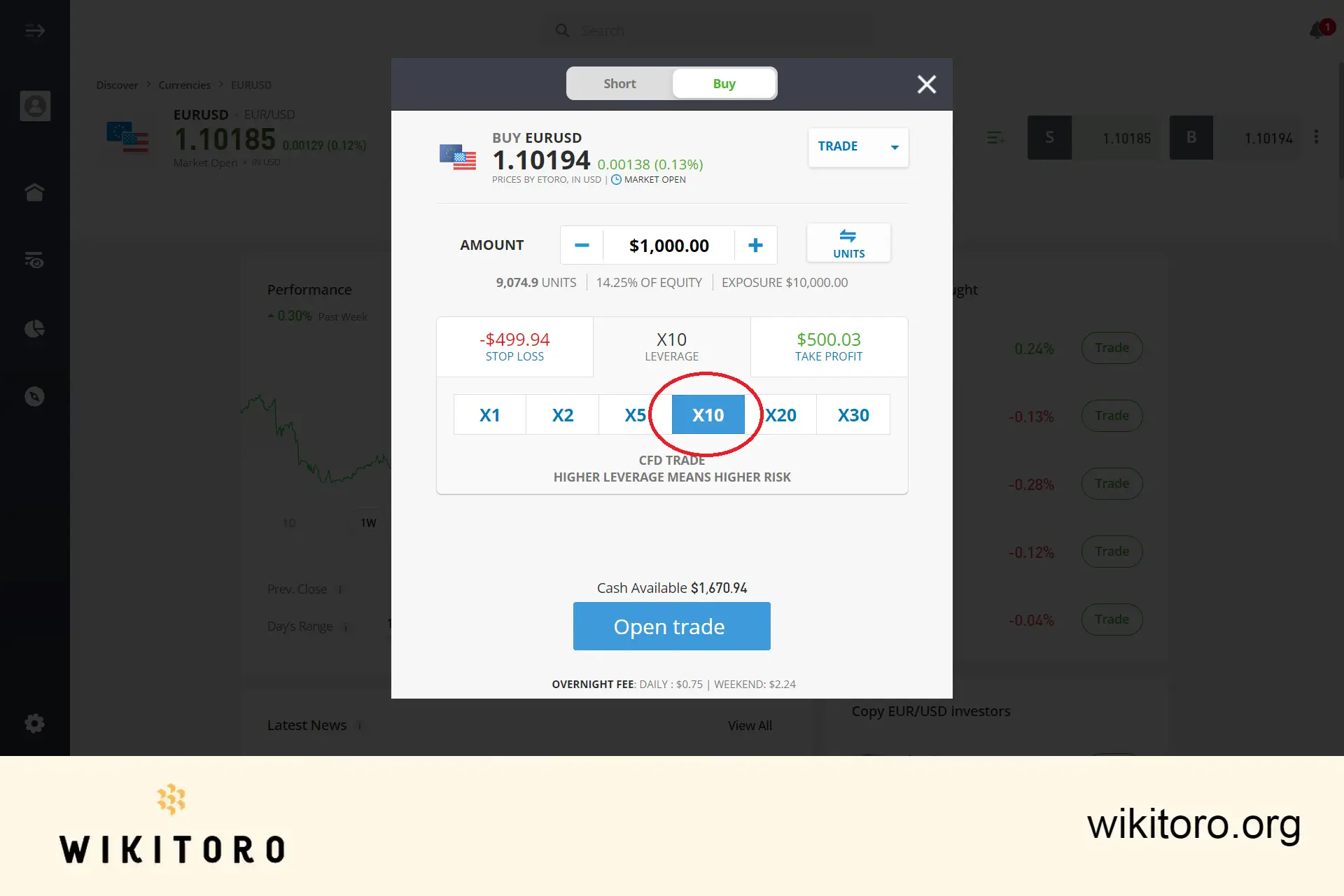
Select your preferred leverage amount. Setting Forex leverage trade to X10
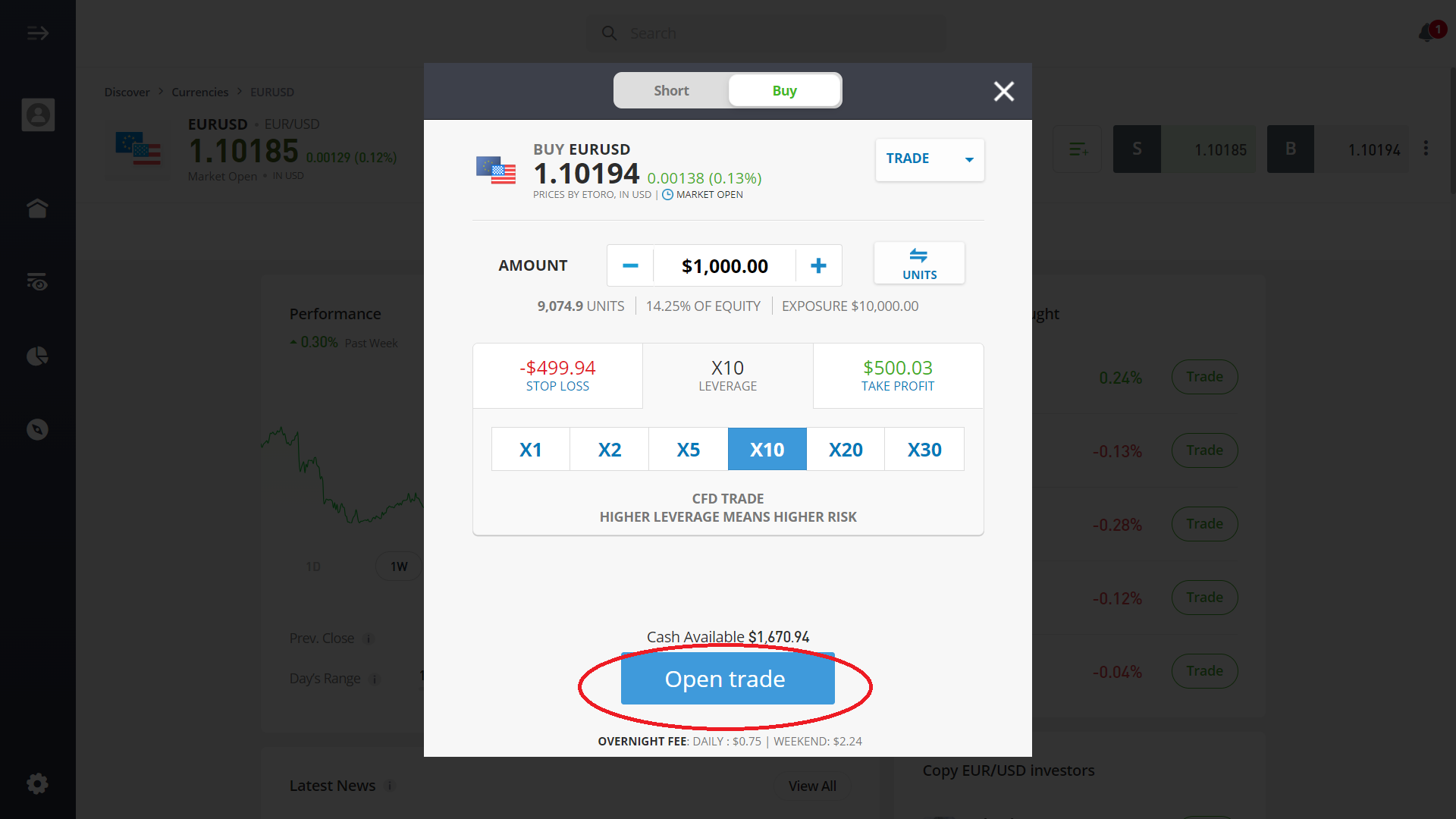
After setting your preferences, click 'Open Trade'. Executing trade with an X10 leverage
Concluding Thoughts
Setting leverage on eToro is straightforward, but wielding it demands prudence. Leverage can be both an ally and a foe. My trading journey had its ups and downs, but with each transaction, I gained insight, adjusted, and enhanced my approach. For those venturing into the realm of leverage, remember: equip yourself with knowledge, a touch of bravery, and a solid strategy.
Mike Druttman, Head of Content at Wikitoro.org, has decades of expertise in marketing communications and business matching. Educated at the CAM Foundation and the Chartered Institute of Marketing, Mik...
We use cookies in order to improve the website's performance and enhance your user experience. You may choose your preference to this use of cookies. For more information please refer to our Privacy Policy