How Do I Copy eToro Traders?
- Copy up to 100 traders simultaneously
- Real-time position mirroring
- Proportional investment allocation
- Access to Popular Investor portfolios
- Detailed trader performance analytics
52% of retail CFD accounts lose money.

To copy a trader on eToro, first select an investor by navigating to the 'Discover' page and then 'CopyTrader' to find a trader that matches your investment goals. Next, visit their profile and click the 'Copy' button, which opens a window where you can enter the amount you wish to invest, with a minimum of $200 required. Finally, set your Copy Stop Loss according to your risk preference and click 'Invest' to start copying the trader's moves.
52% of retail investor accounts lose money when trading CFDs with this provider. You should consider whether you can afford to take the high risk of losing your money.
When I first stumbled upon eToro, my curiosity was piqued by its unique feature: copy trading. This concept was entirely new to me, having previously navigated the more complex terrains of online trading platforms like XM and AvaTrade. The user-friendly aspect of this broker stood out, compelling me to explore deeper into its offerings.
My initial step into the world of copy trading with this broker began with setting up an account. The process was straightforward – registration, verification, and funding my account. Eager to explore this novel feature, I started with the eToro demo account, a risk-free environment perfect for beginners like me.
The demo account was my playground for understanding the nuances of copy trading. Surprisingly, it only took me just a few minutes to grasp the basics. Gaining confidence, I soon transitioned from this virtual portfolio to real live copy trading.
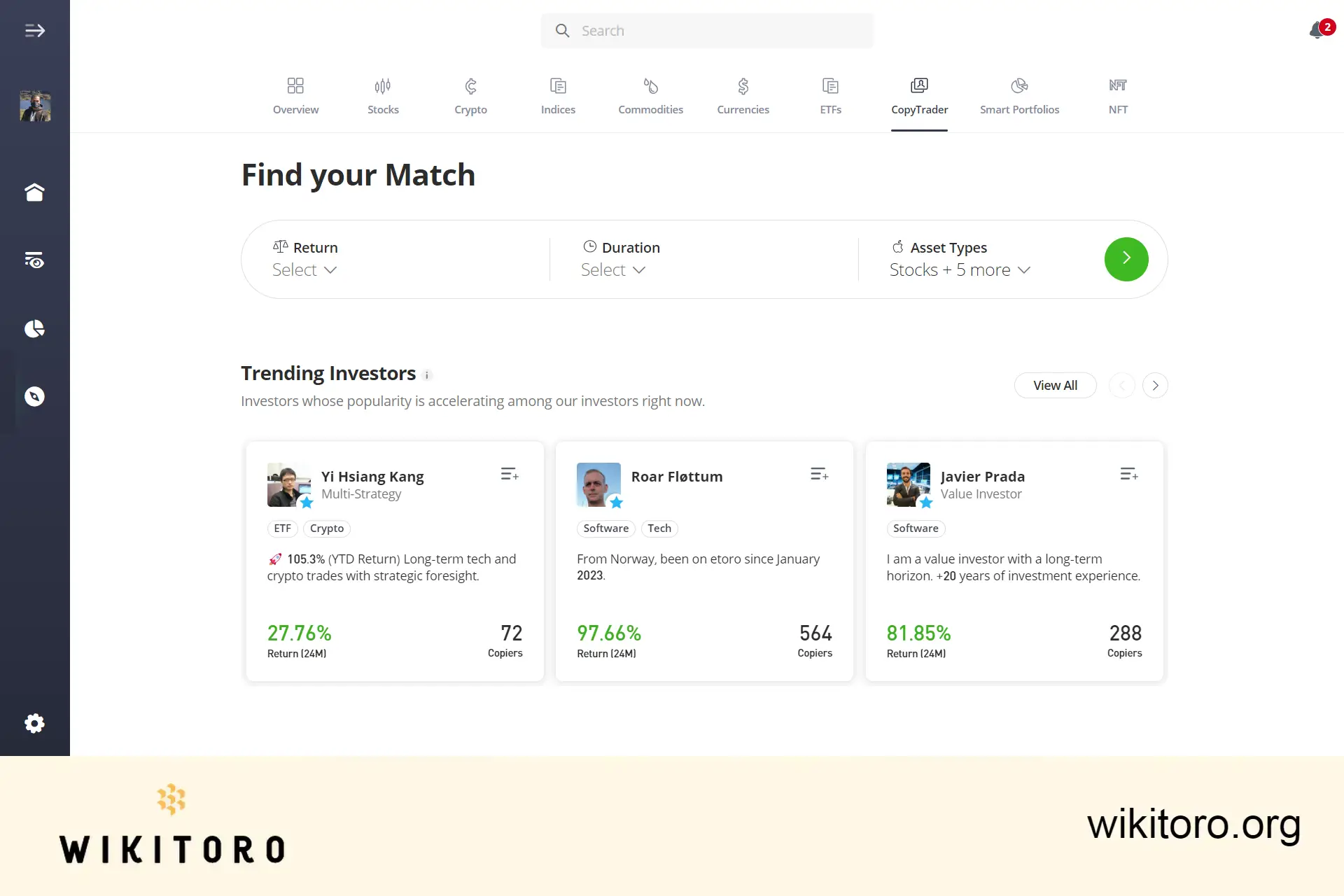
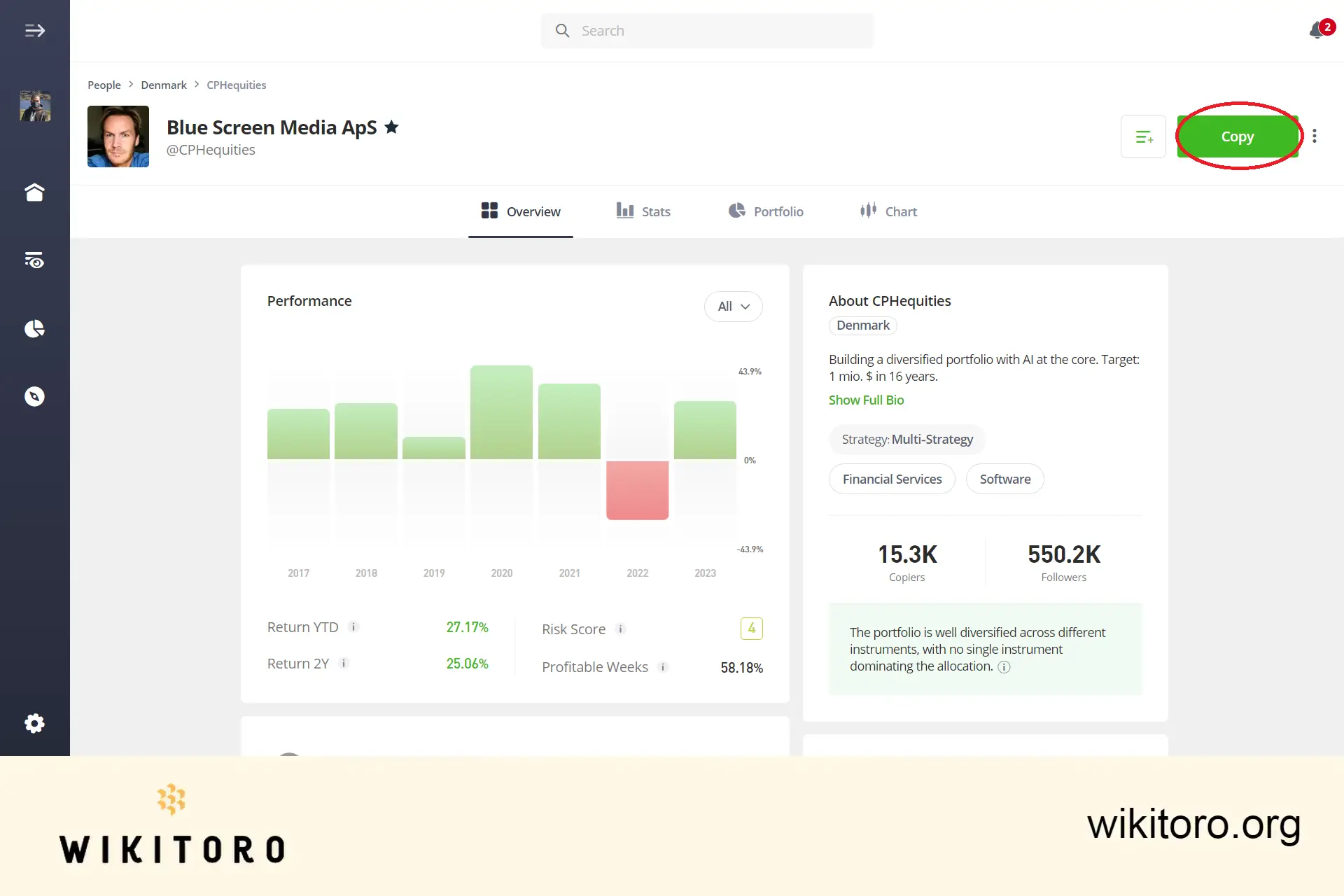
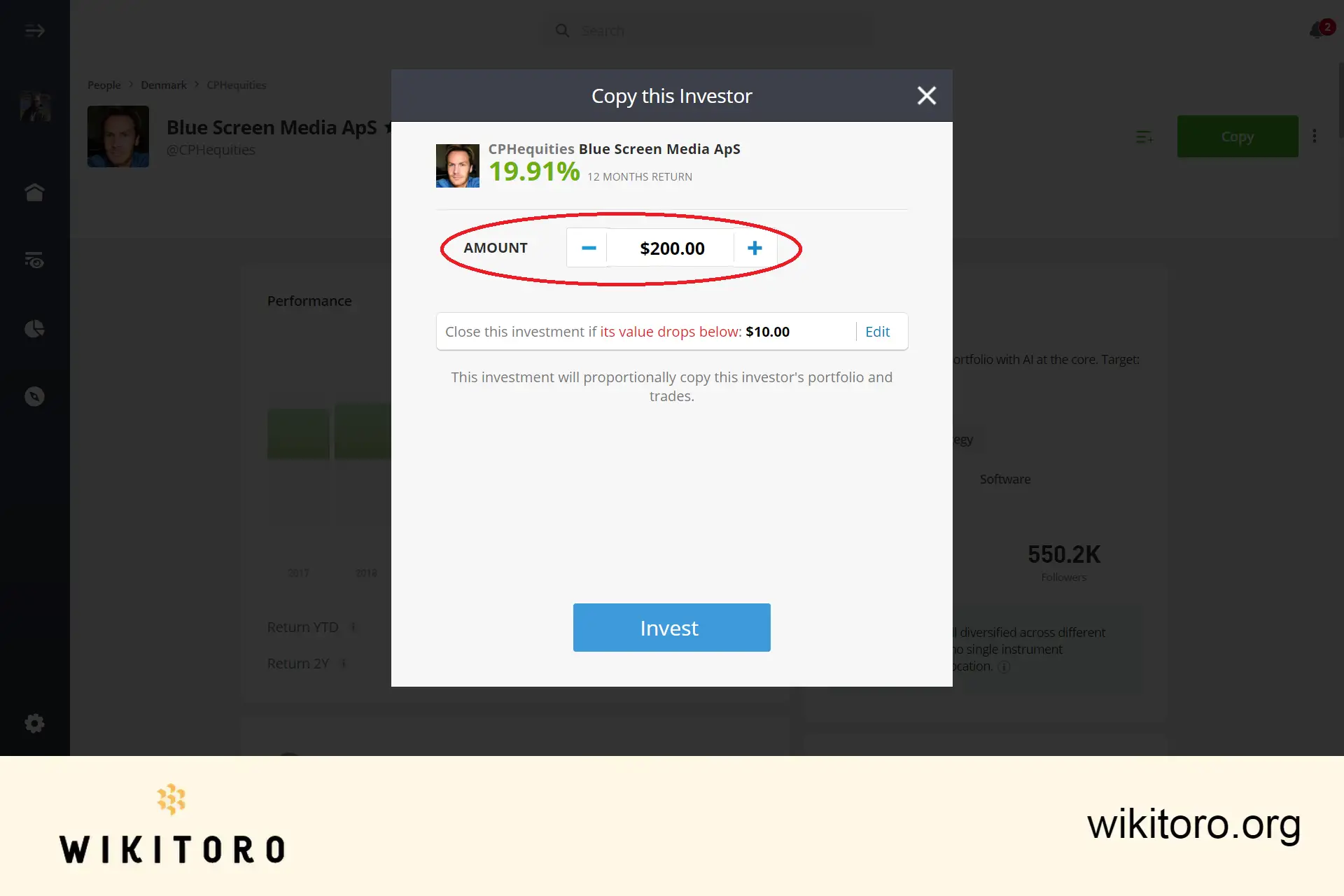
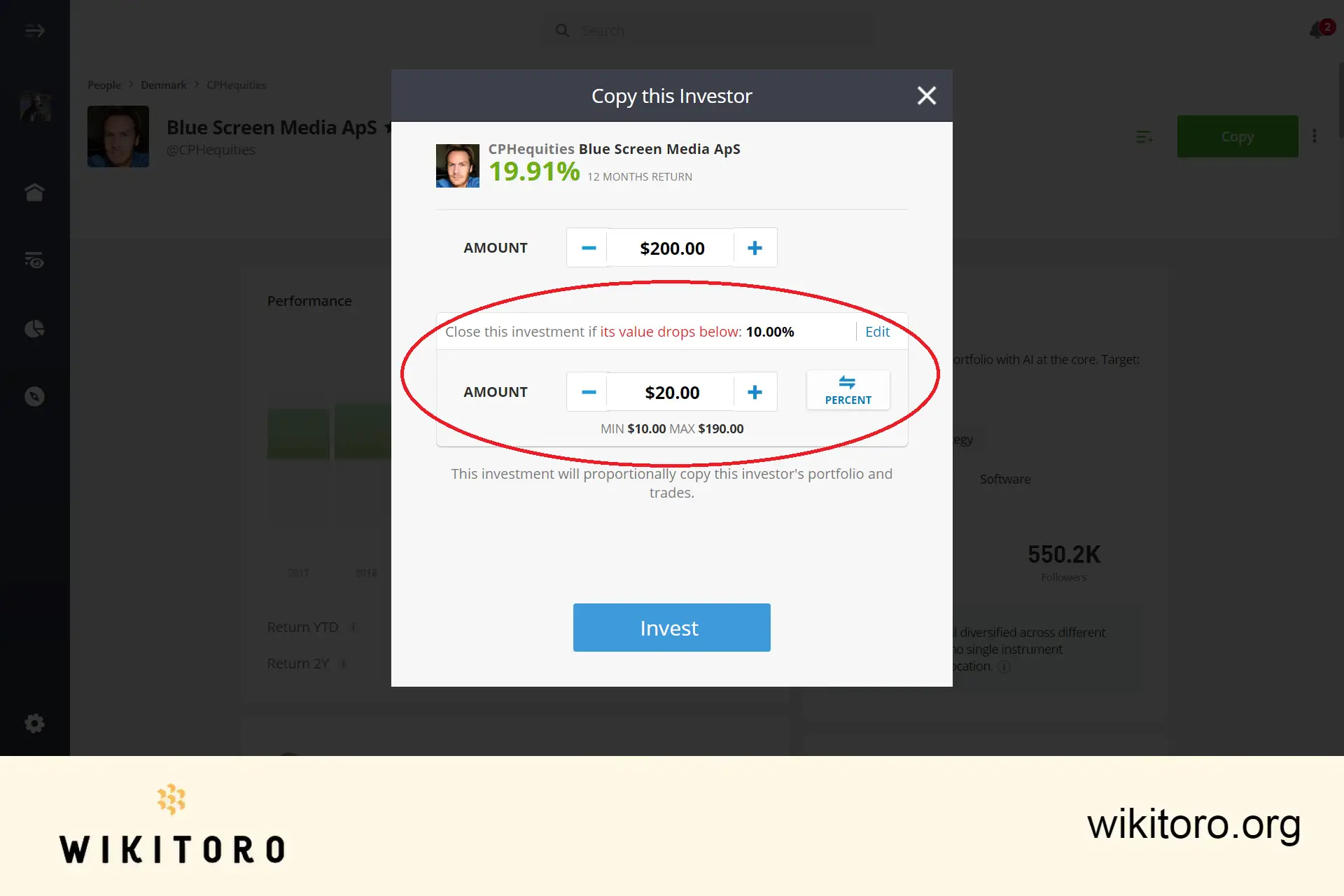
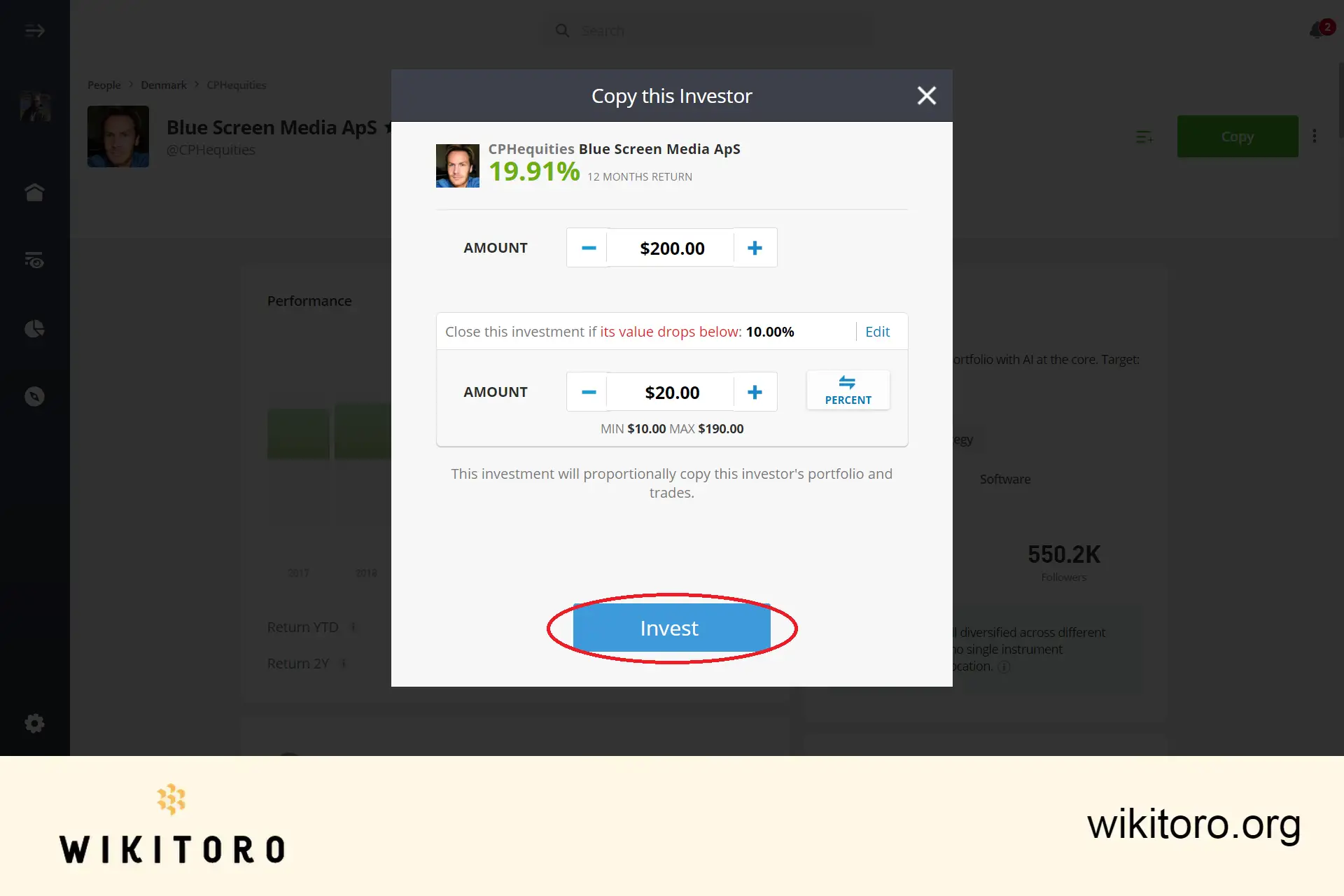
Each investment in a copy is treated as a distinct entity, proportionally aligned with the allocated funds. This aspect of the trading platform ensures a balanced investment approach, mirroring the chosen trader's moves.
Reflecting on my experience, the simplicity and user-friendliness of the eToro copy trading feature stand out. It demystifies the often intimidating world of online trading, making it accessible to novices and seasoned traders alike.
My journey with this broker has not only been about financial investment but also a learning curve in strategic trading. I highly recommend this investment method for anyone looking to dip their toes into the world of online trading with ease and confidence.
 About Andie Andros
















