
To buy Apple stock on eToro, first login or create an eToro account. Then, search for "Apple" or "AAPL" in the search bar, select the Apple result under the Markets category, and click the "Trade" button. Input your desired investment amount, set your stop-loss, leverage, and take-profit preferences, and then click "Open Trade".
52% of retail investor accounts lose money when trading CFDs with this provider. You should consider whether you can afford to take the high risk of losing your money.
Investing in Apple, a tech behemoth known for its innovative products, has always been on my radar. If you, like me, are keen on this venture, eToro offers an intuitive platform to get started. I've put together this straightforward step-by-step eToro Apple trading guide to help you embark on this journey.
If you're not already a member, you'll first need to create an account with eToro. It's a straightforward process. Simply head over to their website or app, and sign up. If you're an existing user, just log in to your account.
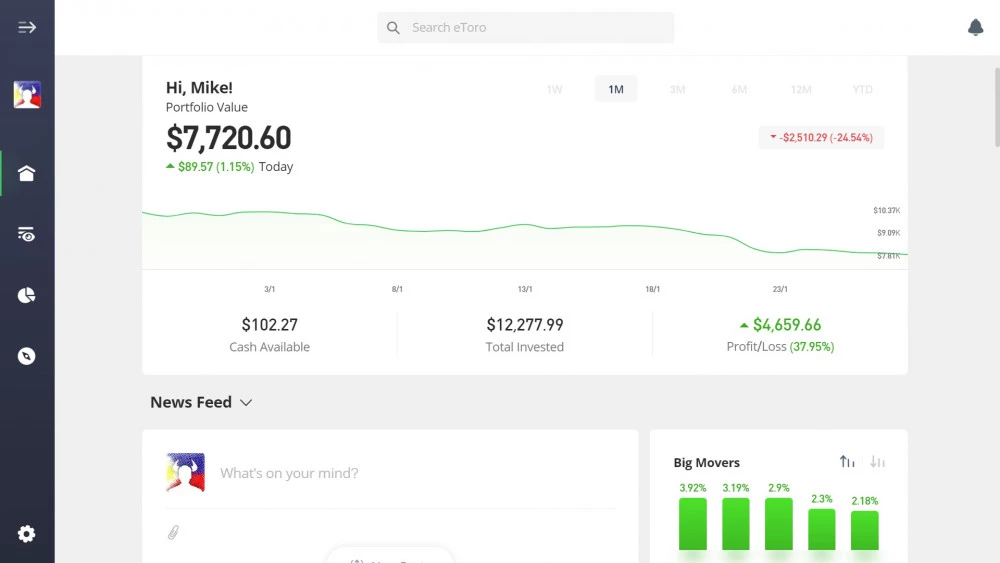
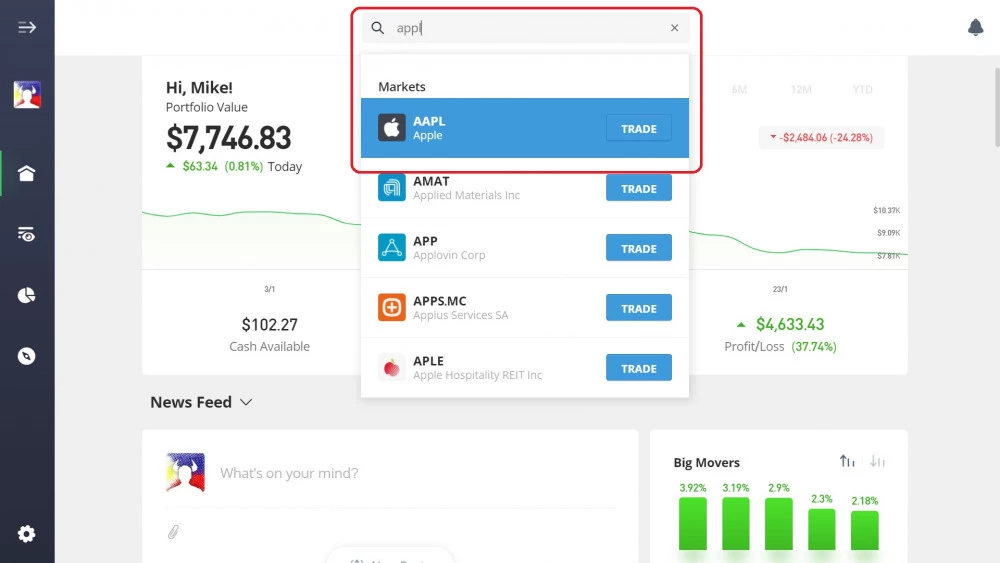
Once logged in, navigate to the search bar. Type in either "Apple" or its ticker symbol "AAPL". You'll see a list of results; look for Apple listed under the Markets category. Once you find it, click on the "Trade" button right next to it.
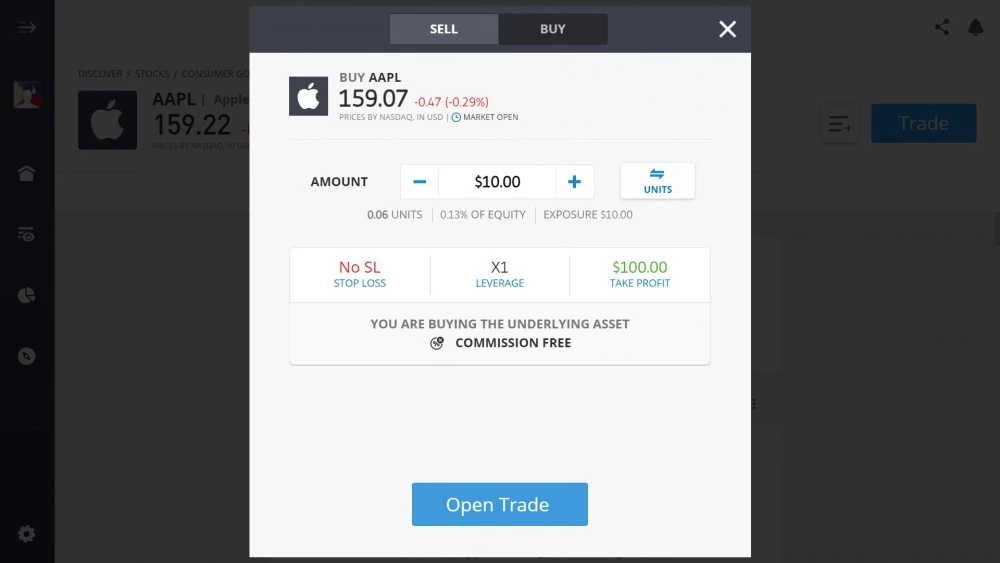
Here's where your trading preferences come into play. Enter the amount you're willing to invest in Apple. Next, set your eToro stop-loss, leverage, and take-profit settings. If you're unsure about these, consider doing a bit of research or consulting with a financial advisor to align them with your investment goals.
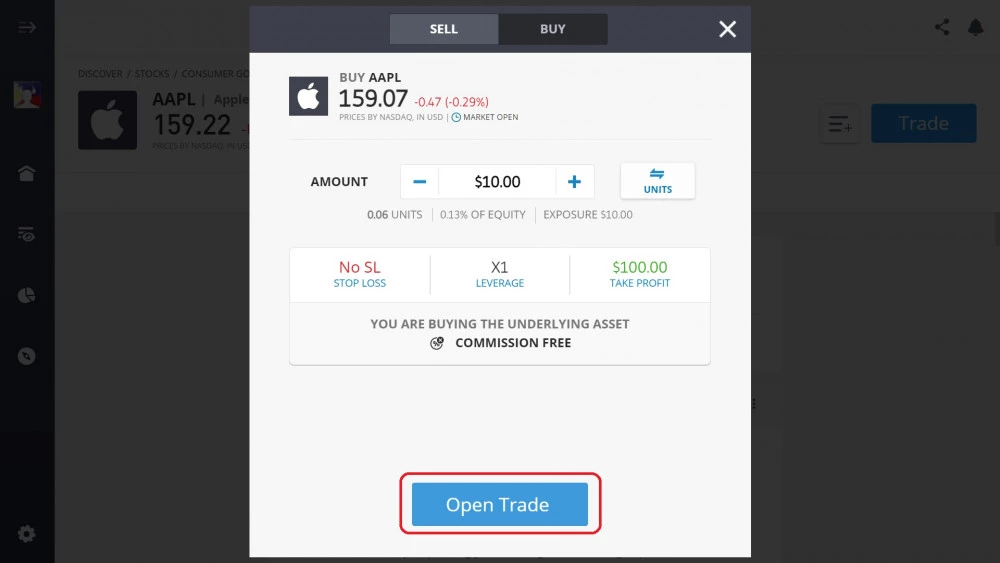
All set? Great! Now, simply click the "Open Trade" button. And just like that, you've invested in Apple shares on eToro.
To those new to the trading world, I found eToro's interface to be user-friendly, making the experience smooth and hassle-free. So, if you're thinking about diversifying your portfolio with some Apple stocks, this platform is a good place to begin. Happy trading!
 About Mike Druttman











