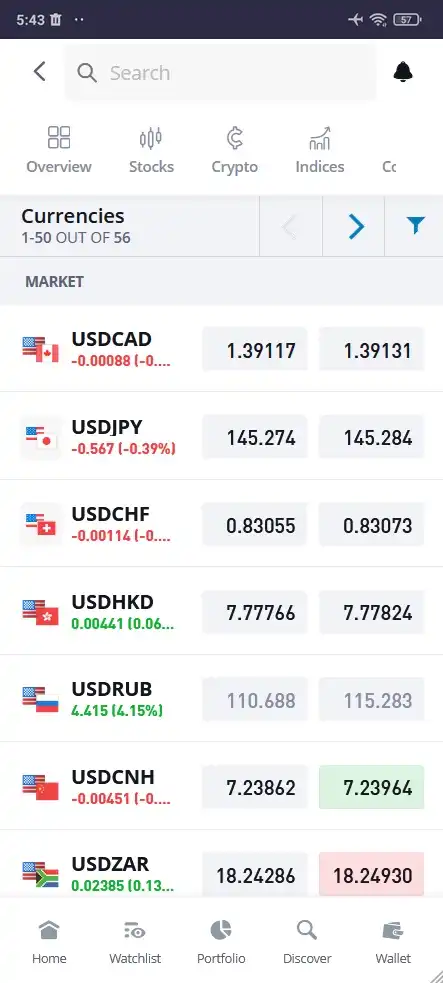
Yes, the eToro mobile app, available on both iOS and Android, lets you trade forex straight from your phone or tablet. No desktop required. No browser tabs. Just tap, swipe, and trade.
Trading forex using eToro mobile app
Top Features of the eToro Mobile App for Forex Traders
All the Pairs You Need: Access a wide selection of currency pairs: majors, minors, and exotics. Whether you're trading EUR/USD or dabbling in something more niche, it's all there.
Smooth and User-friendly Interface: Built for speed and ease of use. Whether you're a new trader or a seasoned pro, using the app is effortless.
Live Data, Always On: Get live prices, trend updates, and market movement alerts. No delays. No guesswork.
Built-In Risk Management: Set your stop-losses, lock in profits, and manage exposure, all from the same screen. Fast, clean, and efficient.
Practice Without Pressure: Use the demo account to test your strategies risk-free. This is ideal for beginners or anyone trying something new.
The best part about this is that I don’t need to crack open a laptop. I manage trades, track price shifts, and tweak my portfolio all from my phone. It's fast and always within reach.
Mike Druttman, Head of Content at Wikitoro.org, has decades of expertise in marketing communications and business matching. Educated at the CAM Foundation and the Chartered Institute of Marketing, Mik...
We use cookies in order to improve the website's performance and enhance your user experience. You may choose your preference to this use of cookies. For more information please refer to our Privacy Policy

 About Mike Druttman
















