
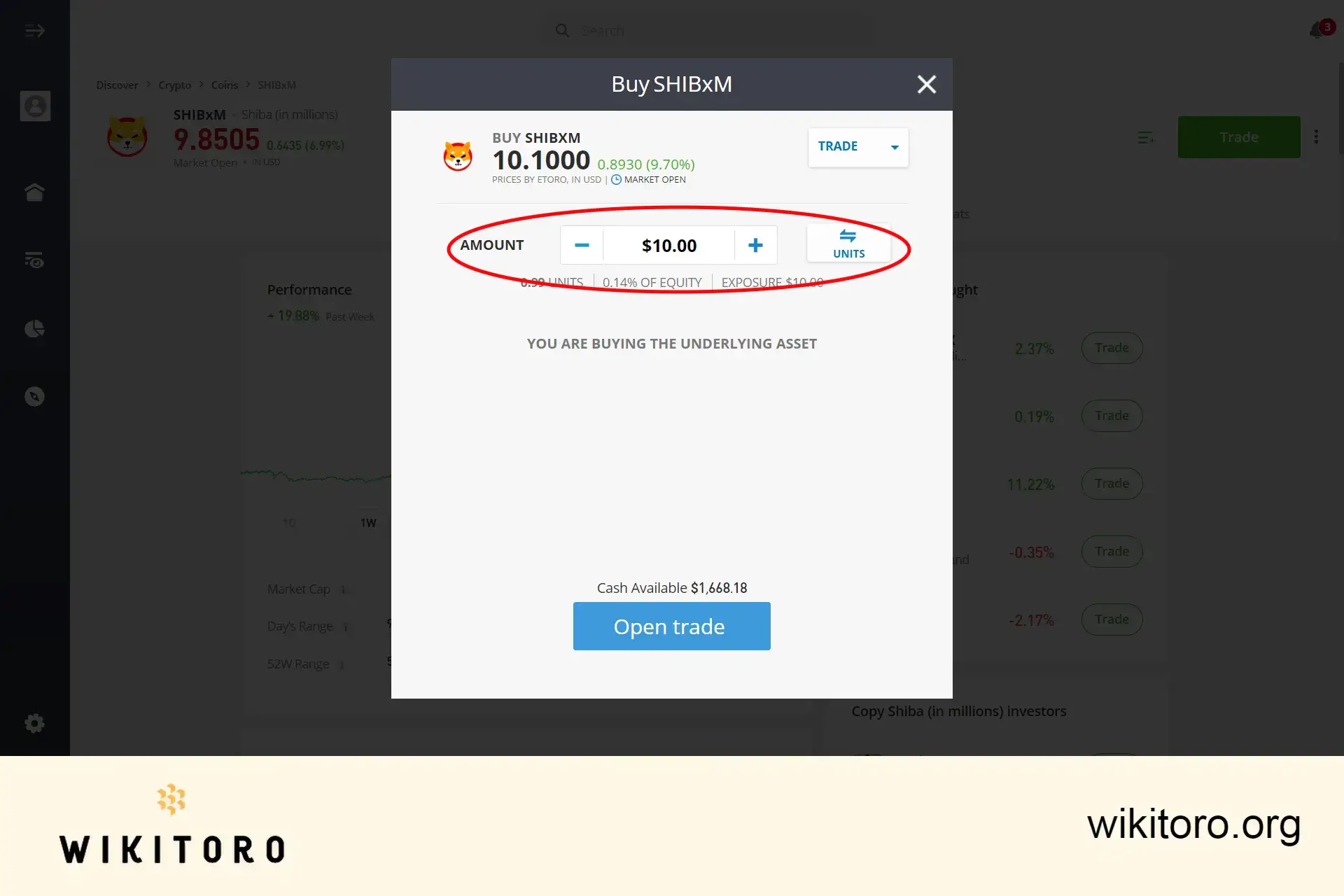
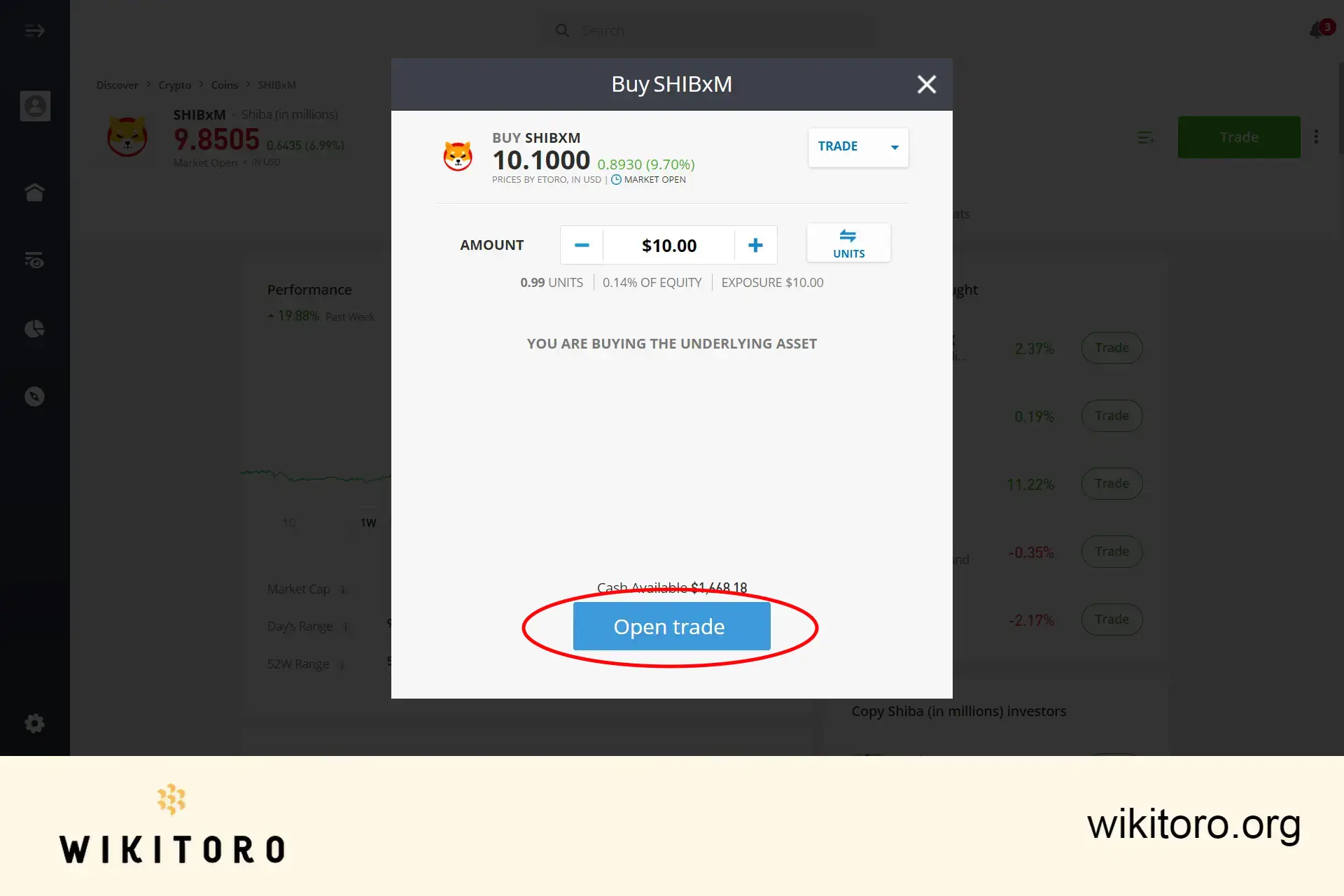
To purchase Shiba Inu on eToro, start by ensuring your eToro account is funded. Search for "SHIBxM" in the platform's search bar, specify the amount you want to invest, and finalize your transaction by clicking "Open Trade."
Venturing into the vibrant realm of cryptocurrency trading on eToro, I've found myself captivated by the meme-inspired coin, Shiba Inu. Given the surge of inquiries I've received about purchasing this particular crypto asset, I felt compelled to create a concise and easy-to-follow guide.
This guide aims to demystify the process of buying Shiba Inu on eToro, infused with my personal insights and tips to kickstart your journey.
Follow this step-by-step guide to start purchasing this crypto asset on the platform. This can be done via their web-based interface or their app:
To start trading this crypto, you first need a verified investment account. The setup process is straightforward - create your account using a username, email address, and password. The broker will then require you to complete an identity verification process. Once verified, you’re ready to add funds to your account and embark on your trading journey.
There are two easy methods to find Shiba Inu (SHIB) on the web platform or app:
Once on the Shiba Inu trading page, enter the amount you wish to invest in SHIB. Remember, the minimum investment is $10, making it accessible even for those starting with smaller investments.
To finalize your trade, simply click the "Open Trade" button. This action will execute your SHIB order based on the parameters you’ve set. After that, it's a matter of monitoring the market's performance to see the outcome of your investment, be it a profit or a loss. Remember, trading involves risks and it's important to trade responsibly.
And that's it – a clear and simple guide to purchasing Shiba Inu on eToro. Remember, this method isn't exclusive to Shiba Inu; it's applicable to a wide array of cryptocurrencies available on the platform.
My goal with this guide is to shed light on the process of trading cryptocurrencies via this platform, providing you with the necessary tools and knowledge to navigate the vibrant and ever-evolving world of digital assets confidently.
 About Mike Druttman
















