
To buy Bitcoin on a platform like eToro, you’ll need to verify your account. Upload a valid ID (like a passport or driver’s license) and proof of address. It’s a quick step required by law to confirm your identity and keep your account secure.
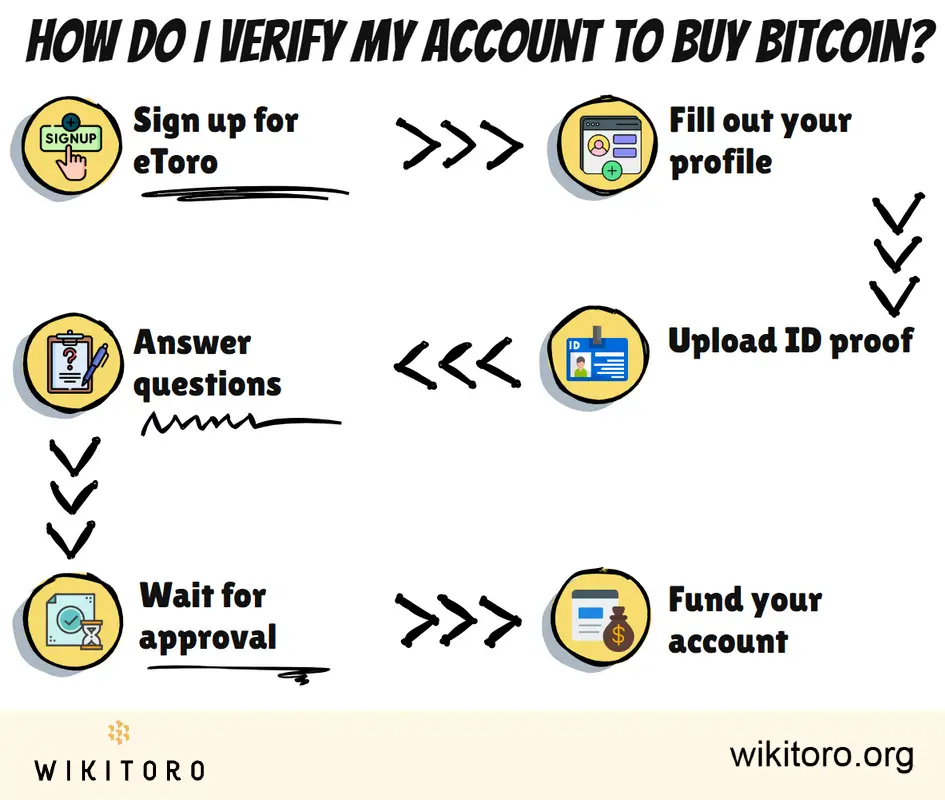
Here’s how to get your eToro account verified and ready to buy Bitcoin, without overcomplicating it:
Create an eToro account. You’ll need to choose a username, set a password, and enter your email address. Prefer skipping all that? You can use your Google or Facebook account instead.
Once you’re in, go to your dashboard and complete your profile. eToro asks for the basics:
They’re not being nosy. This is standard Know Your Customer (KYC) protocol.
To keep your account legit, you’ll need to upload:
The details on both must match the info you provided earlier. If they don’t, expect delays.
Next up is a short questionnaire. It’s designed to gauge your trading knowledge and financial situation, not to trip you up.
Approval usually takes a few hours, but it could stretch to two business days depending on volume. You’ll get an email as soon as your account is verified.
Once you’re verified, it’s go time. Add funds through a supported deposit method (e.g. bank transfer, debit card, PayPal). After that, you can buy Bitcoin right on the platform.
What I like about eToro is that it’s regulated. That matters. It means they follow strict security protocols required by financial authorities, which is designed to prevent fraud and protect users like me. There’s peace of mind in knowing I’m buying Bitcoin from a platform that operates under clear, enforceable rules.
 About Mike Druttman
















