
To buy Bitcoin with PayPal on eToro, start by depositing funds using PayPal as your payment method. Once the deposit clears, head to Bitcoin and place your order. Take note that PayPal isn’t available in every country, so check your region’s payment options before you begin.
Before you start transferring funds, take a quick look at your payment options. If PayPal doesn’t show up under “Deposit Methods,” you’re likely dealing with a regional block.
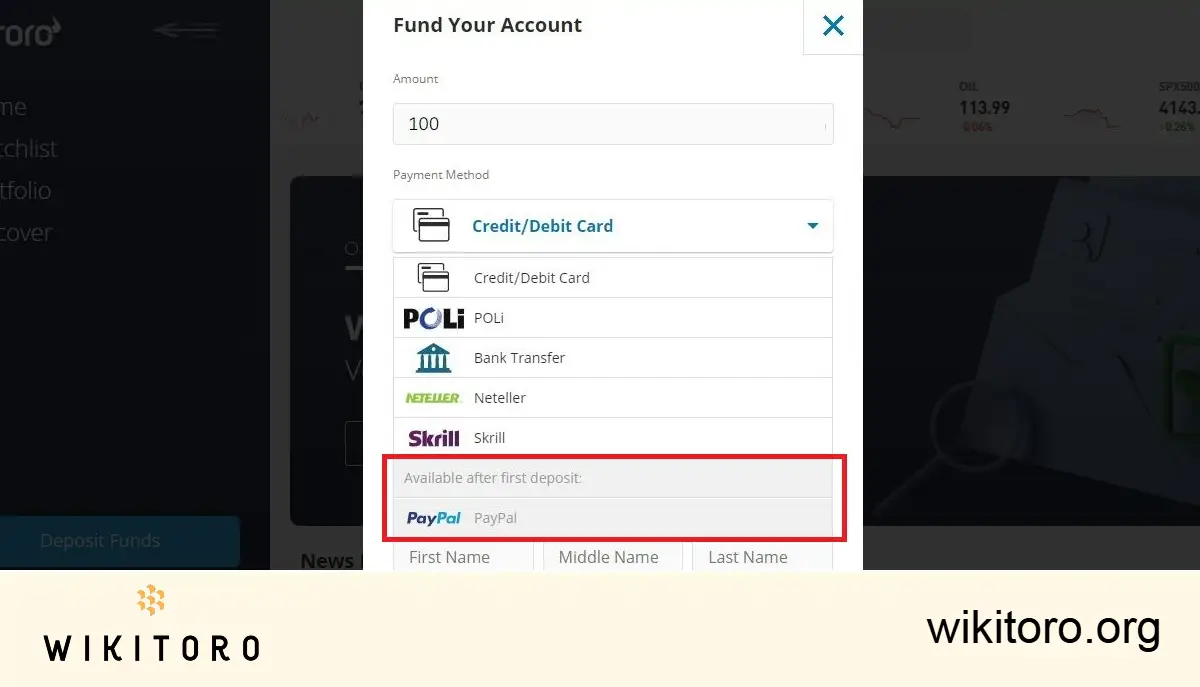
Some countries have restrictions that prevent PayPal from being used on eToro. No PayPal option? That’s probably why.
Want to use PayPal to buy Bitcoin on eToro? Good news: it's quick and painless if you know what buttons to press.
Here’s what the process looks like, step by step:
Head over to etoro.com and create an account. Before you can deposit anything, eToro needs to verify who you are. That means uploading a valid ID and proof of address. No shortcuts here as it’s mandatory.
Once you’re verified:
When done right, the funds should land in your eToro account almost instantly.
Now comes the fun part.
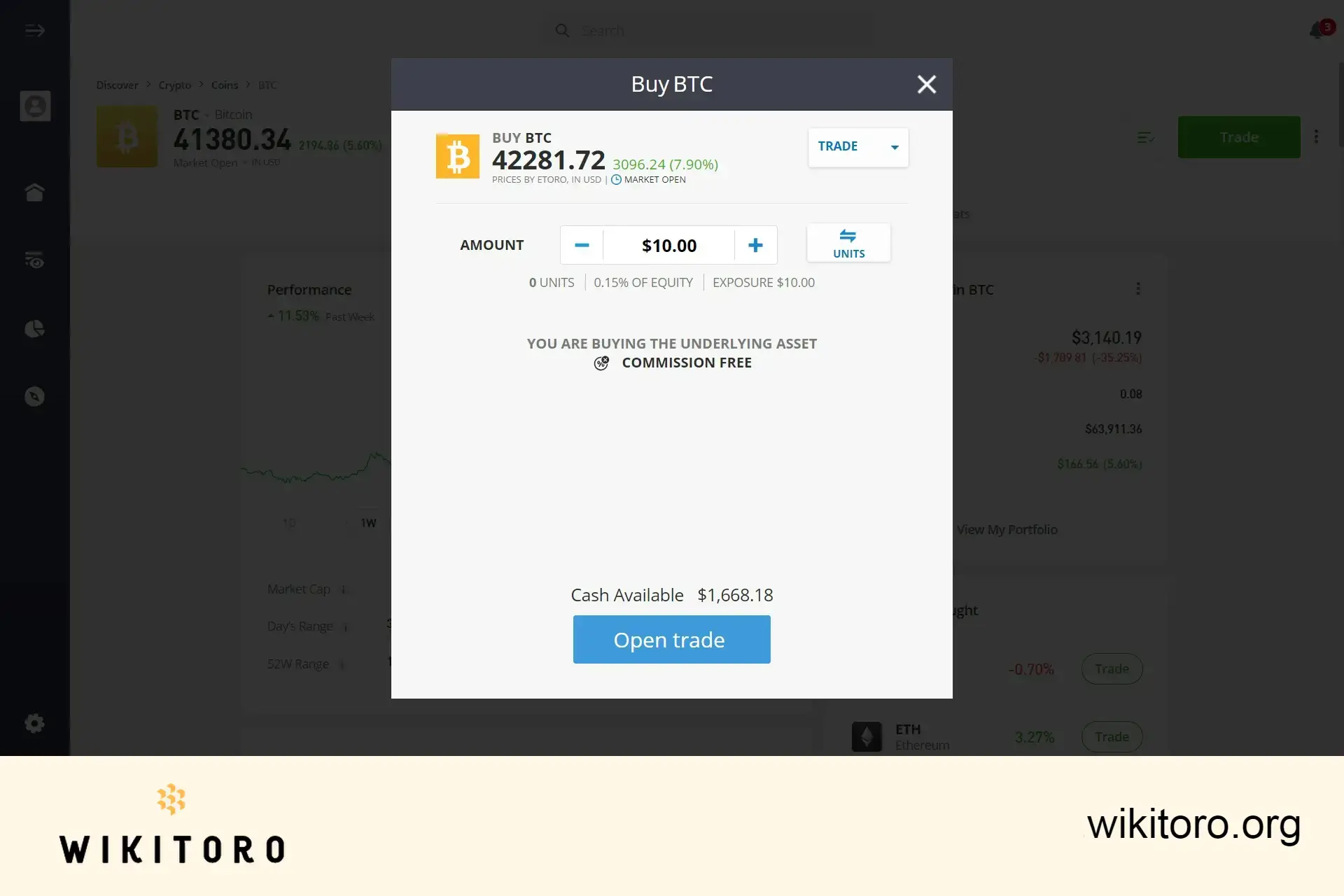
Your Bitcoin will show up in your portfolio. Technically, it’s exposure to BTC, unless you move it to the eToro Money crypto wallet. That’s where you get full ownership and can transfer it out.
What I liked about using PayPal to fund my eToro account was the speed. I don’t use credit cards much, and linking a bank takes days. PayPal? A few clicks and you’re good. It’s a clean fit if you already keep funds in a digital wallet and want to grab Bitcoin without jumping through hoops.
 About Mike Druttman
















