
To trade Wheat on eToro, start by logging into your account or registering for a new one. Once logged in, use the platform's search bar to find "Wheat" – it should appear at the top of the search results. Decide whether to place a "Buy" or "Sell" position. Next, enter the amount or number of units you wish to trade. Adjust your trade settings as needed. Finally, click on "Open Trade" to execute your transaction.
52% of retail investor accounts lose money when trading CFDs with this provider. You should consider whether you can afford to take the high risk of losing your money.
Over the years, I've navigated the complex world of commodities trading, experiencing both highs and lows. A constant in my journey has been the eToro platform, where I've ventured into various commodities, including wheat.
During my initial days, I realized that the wheat market reacts sharply to global events. From changing weather patterns to geopolitical shifts, staying updated is crucial. It's a lesson I learned after a few hits and misses.
Here, I share insights from my personal experience in trading this vital agricultural commodity via this broker.
To trade wheat, you need an active and verified eToro account. If you're already a user, proceed to the next step. New users must register, complete the verification process, and fund their account.
Finding wheat on eToro is straightforward, and there are two methods:
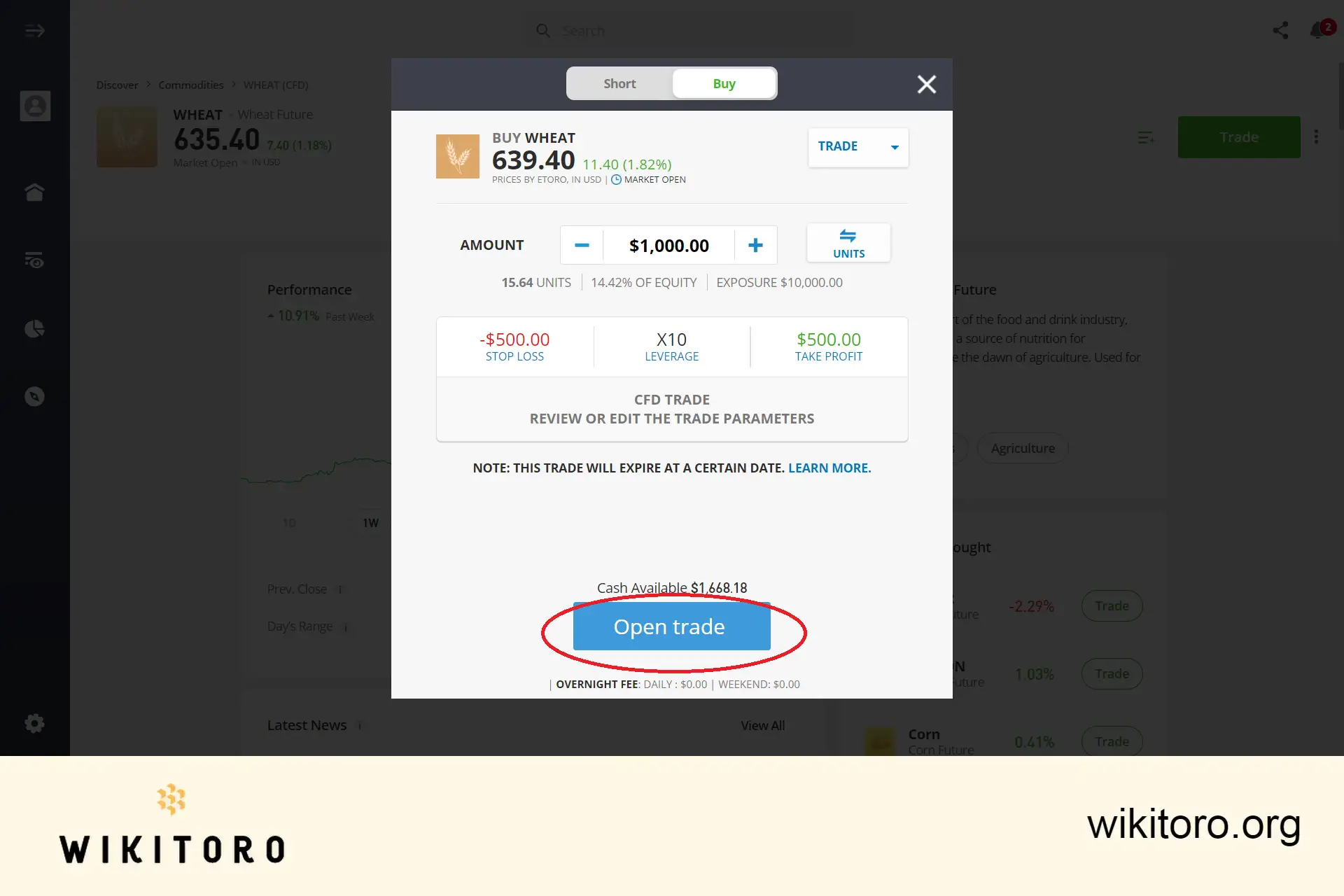
Once you've located the eToro wheat asset and accessed its trading page, it's time to set your investment parameters:
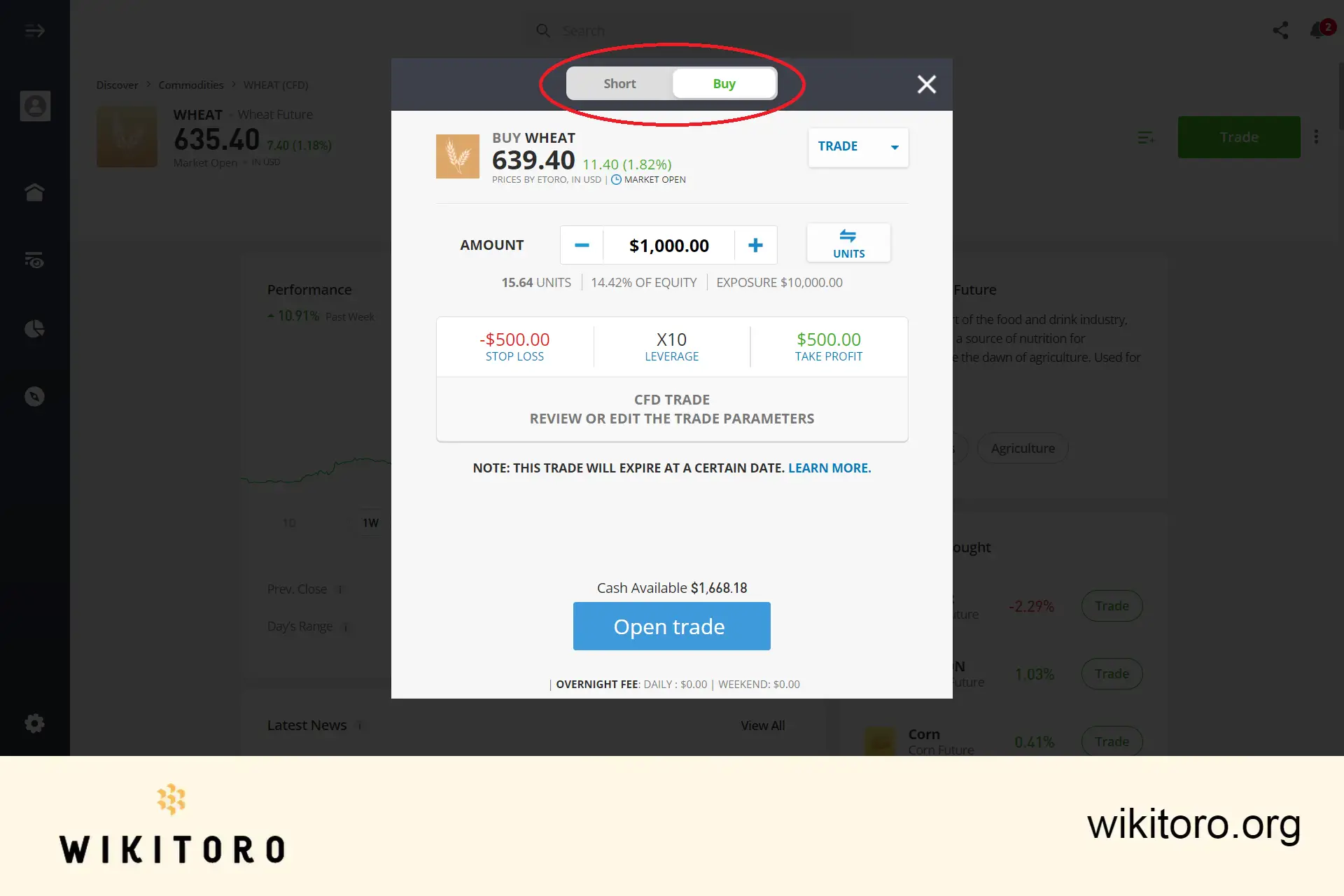
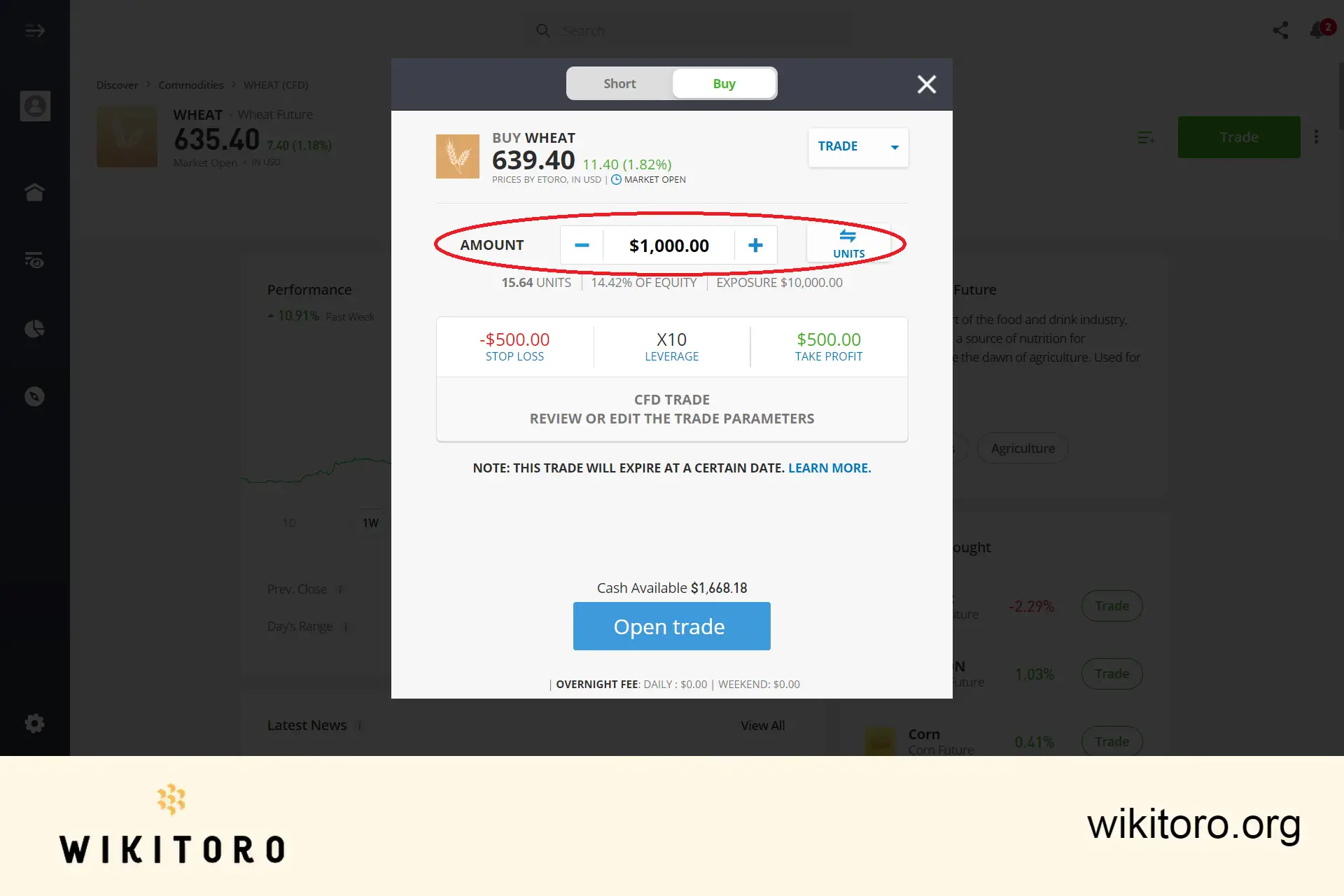
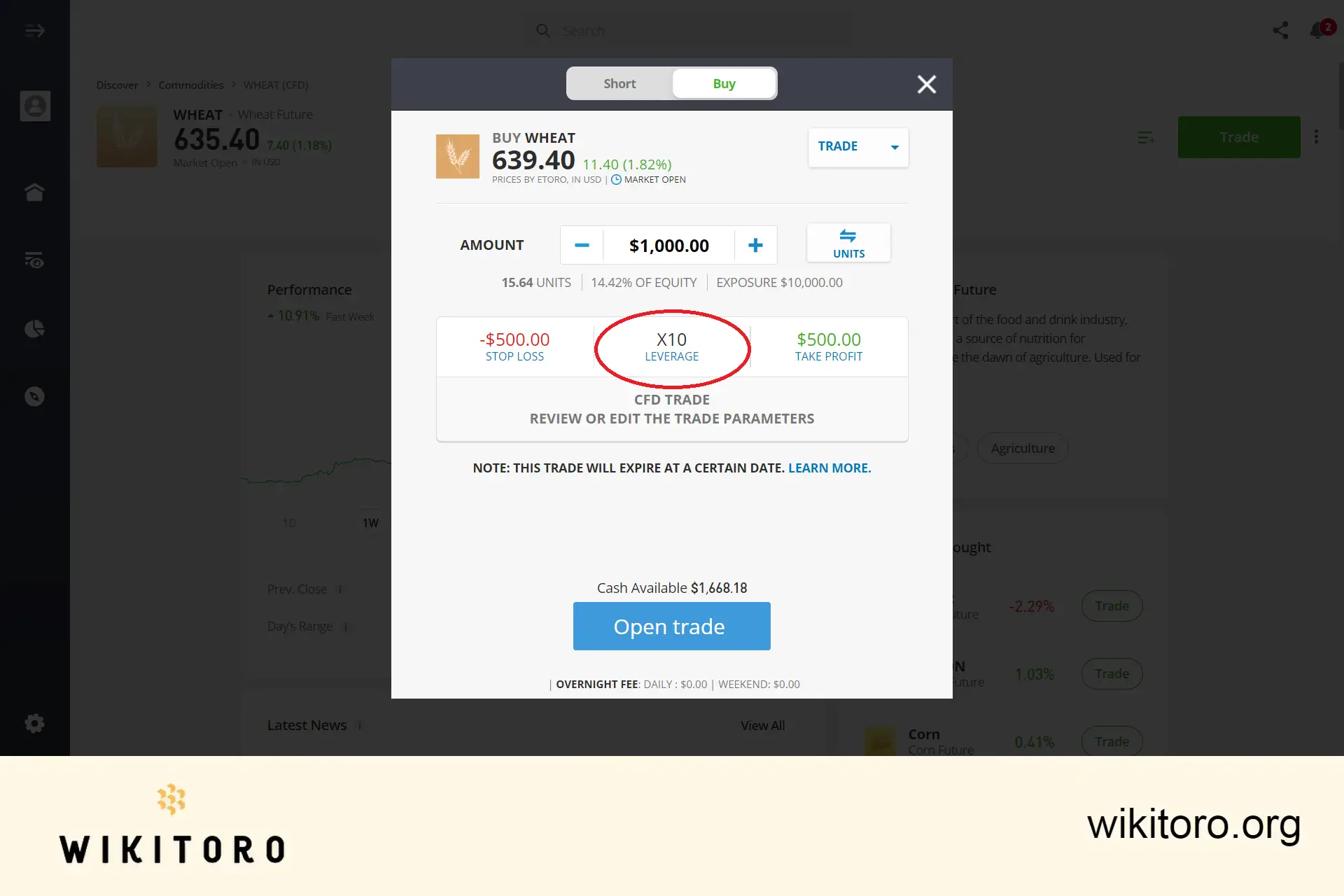
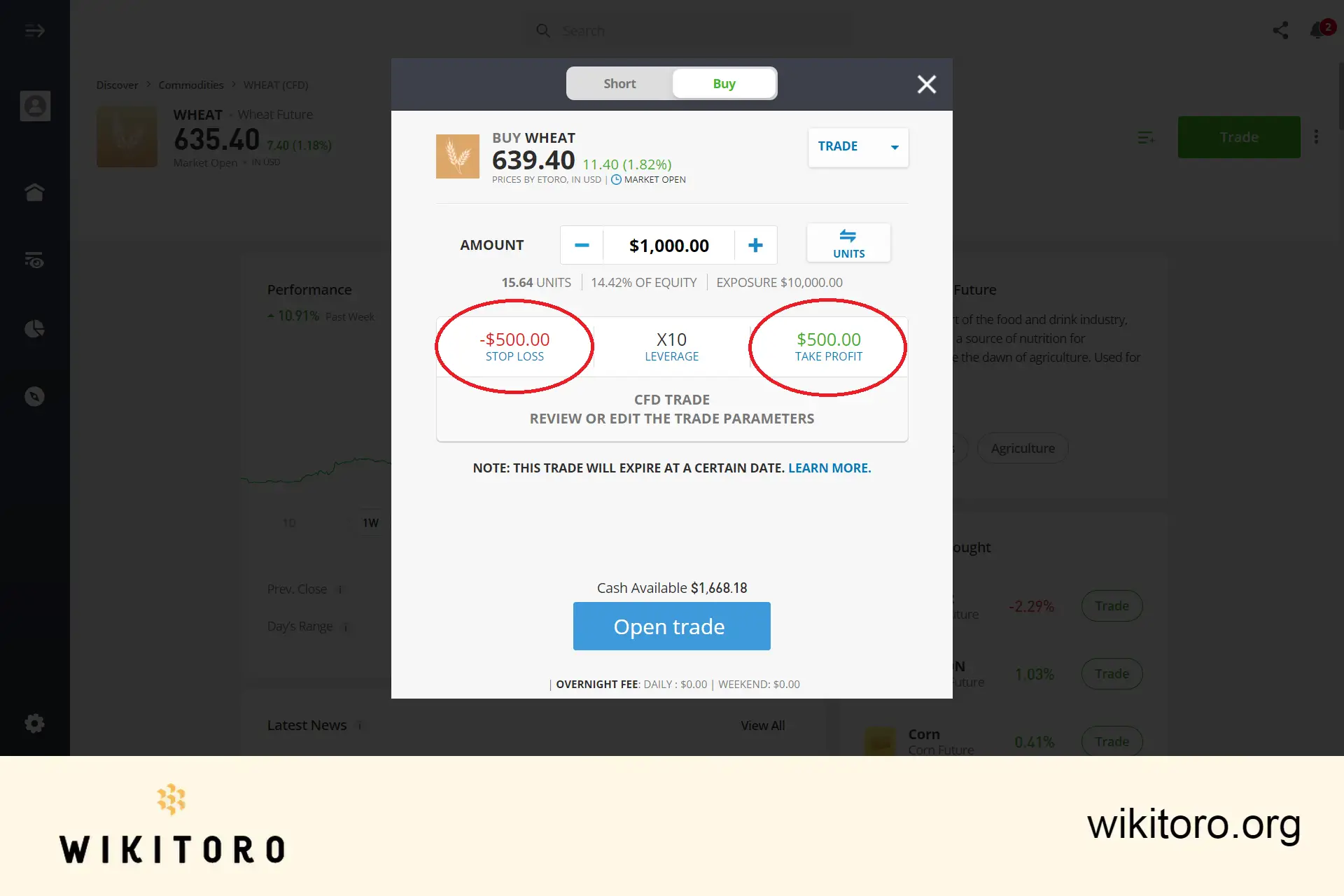
The final step is to click the "Open Trade" button, executing your wheat trade with the set parameters. After this, monitor the market movements to see how your trade performs, ultimately revealing if you've made a profit or incurred a loss.
Wheat trading on eToro has been a roller-coaster ride, filled with learning and opportunities. With the right approach and continuous learning, you'll surely get the hang of it. I recommend exploring this broker's webinars and courses—they've been game-changers for me.
 About Nadav Zelver
















